
An expense reimbursement on your pay stub is a payment connected with an expense you incurred, rather than automatically being extra wages. Its tax treatment depends on the reimbursement arrangement. To check the amount, match the payroll entry with your expense report and payment details, and find out whether the statement's net-pay total already includes it.
When is an expense reimbursement taxable?
IRS Publication 15, section 5, distinguishes accountable plans from nonaccountable plans. An accountable arrangement requires allowable employee business expenses, timely substantiation, and timely return of excess amounts. It cannot simply relabel wages as expenses. Qualifying accountable-plan payments are excluded from wages and federal employment taxes. Nonaccountable-plan payments are treated as wages, generally using supplemental-wage rules.
The word “reimbursement” on its own does not establish tax treatment. Ask payroll which arrangement applies and whether your documentation is complete. The IRS also says that when one payment includes wages and reimbursement, the reimbursement amount must be identified. This article explains a record-checking method; it does not determine the treatment of your individual expense claim.
Example: $1,650 net wages plus a $120 reimbursement
Assume a fictional employee has $2,000 in gross wages and $350 in combined payroll deductions for the payment. Separately, the employer approves a $120 business-expense reimbursement that qualifies under an accountable plan. The employer sends both amounts in one payment, with no split deposits or other adjustments:
- Net wages: $2,000 − $350 = $1,650.
- Qualifying expense reimbursement: $120.
- Combined payment: $1,650 + $120 = $1,770.
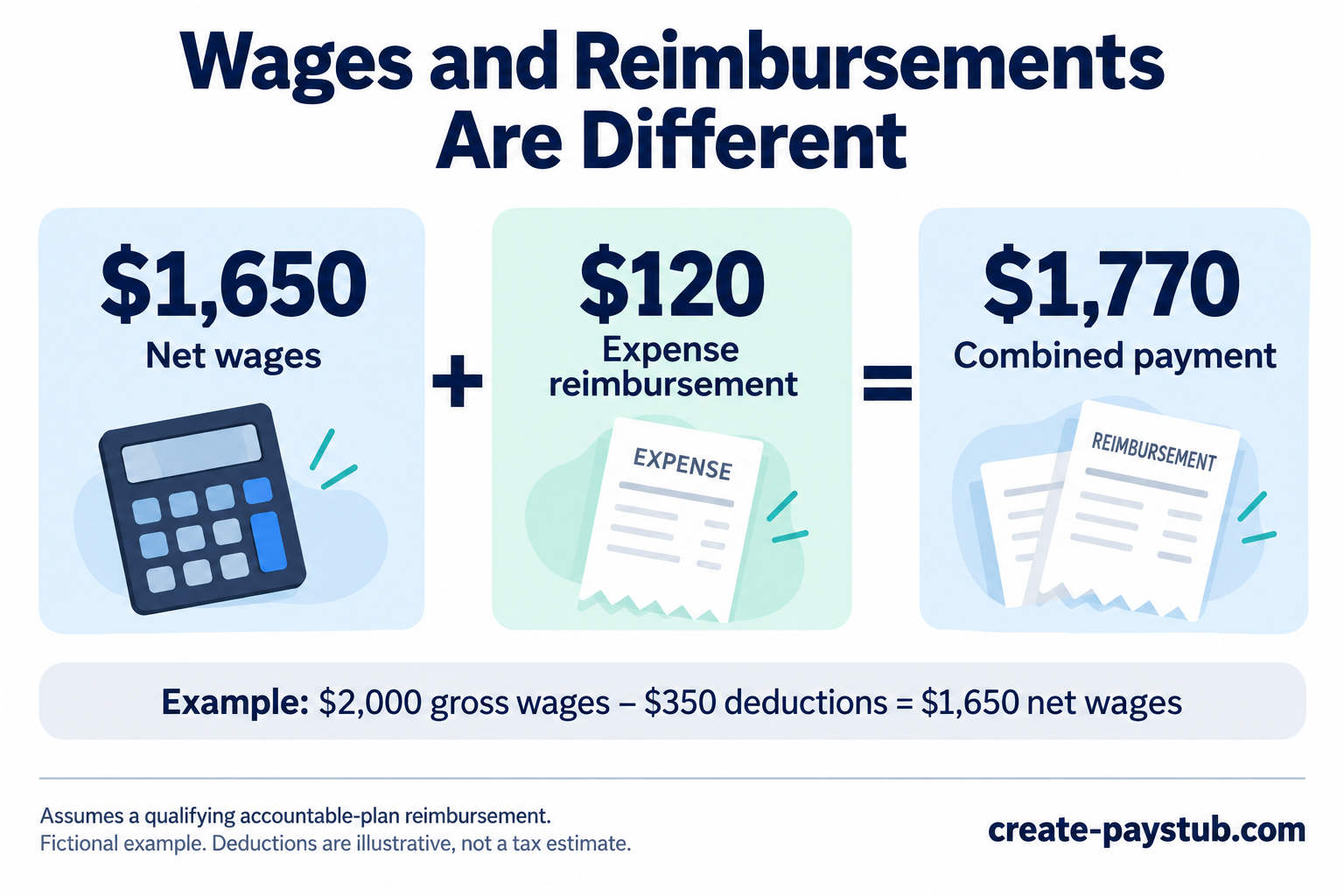
The $120 is not an unexplained pay raise in this example. Keep it separate from wages when reviewing earnings. If your statement labels the entire $1,770 as “net pay,” do not add the $120 again: it is already included. If it shows $1,650 as net wages and lists the reimbursement separately, look for a payment total or distribution section that explains the final amount.
A separate reimbursement payment would change the comparison: you would look for $1,650 and $120 as two transactions rather than expect one $1,770 deposit. Our guide to direct deposits that differ from net pay explains how to match transactions and check split payments.
A checklist for checking the reimbursement entry
- Identify the expense. Match the description or reference number to the claim you submitted. The payroll label may be abbreviated, so ask what an unfamiliar code means.
- Compare the approved amount. Use the approved claim total, not just the original amount requested. Ask for an explanation of any adjustment or partial approval.
- Check the payment date. An approved claim and a paid claim are different stages. Confirm which payroll run or separate transfer contains the reimbursement.
- Read the totals carefully. Establish whether the amount is included in the displayed net-pay total before adding it to any other figure.
- Compare the actual transaction. Use the deposited amount, rather than your bank balance, and check whether the money was sent to more than one account.
- Retain the supporting records. Keep the expense report, receipts or required supporting evidence, approval, and payment record together so the figures can be reconciled.
Do not assume that every item in a payroll system's year-to-date total measures the same thing. If you are comparing wages with an annual tax form, see why W-2 wages can differ from pay stub totals and request the relevant wage breakdown.
What should you ask payroll if the figures do not match?
A focused request can separate a payment issue from a classification issue:
“My approved expense report [reference] is for [amount]. The statement dated [date] shows [amount/code], and I can identify a payment of [amount]. Please confirm when the reimbursement was paid, whether it is included in the statement's net-pay total, and how it was classified for payroll.”
If the entry appears twice, ask whether one line is informational or whether two payments were actually issued. If the amount is missing, ask for its payment status before assuming it was included in regular wages. If the classification looks wrong, request the employer's explanation and any correction needed; do not edit an employer-issued statement yourself.
Our pay stub correction checklist explains how to document the issue and compare the corrected statement with the actual payment.
Does a matching deposit prove the reimbursement is correct?
No. A matching total checks the payment arithmetic. You still need the underlying claim, approval, and payroll classification to explain what was paid. Keep those records together rather than treating the bank deposit alone as proof of the expense or its tax treatment.