
Your W-2 wages can differ from the gross pay on your final pay stub without either document being wrong. A pay stub’s gross earnings and the W-2’s taxable wage boxes measure different things. Before treating a difference as an error, compare the same employer and calendar year, identify the wage category, and check which payroll adjustments apply.
Start with the wage category, not just the total
Your final pay stub may show year-to-date gross earnings, federal taxable wages, Social Security wages, and Medicare wages. Those labels are not interchangeable. On Form W-2, box 1 reports wages, tips, and other compensation for federal income tax purposes; boxes 3 and 5 report Social Security wages and Medicare wages and tips respectively. Box 2 reports federal income tax withheld, which is a tax amount rather than a wage amount. The IRS W-2 instructions explain these fields.
Do not add boxes 1, 3, and 5 to calculate your annual earnings. They can report overlapping wages under different tax rules. Similarly, the net pay deposited into your bank account is not the figure to compare directly with box 1. Our guide to reading a check stub explains the gross, net, and year-to-date columns.
A traditional pre-tax 401(k) can reduce box 1 wages
A common explanation is an employee’s traditional pre-tax 401(k) contribution. The IRS says these elective deferrals generally are excluded from box 1 wages but remain included in wages subject to Social Security and Medicare withholding. See IRS Topic 424 on 401(k) plans.
Do not apply that treatment to every deduction labeled “retirement.” Designated Roth employee contributions generally remain subject to federal income tax withholding as well as Social Security and Medicare. The IRS retirement contribution guidance distinguishes pre-tax, Roth, and employer contributions.
Fictional example: $50,000 gross pay and $47,000 in box 1
Assume a fictional employee has $50,000 in annual gross wages and contributes $3,000 to a traditional pre-tax 401(k). Assume all wages are otherwise subject to the relevant taxes, the employee is below the Social Security wage limit, and there are no other wage adjustments.
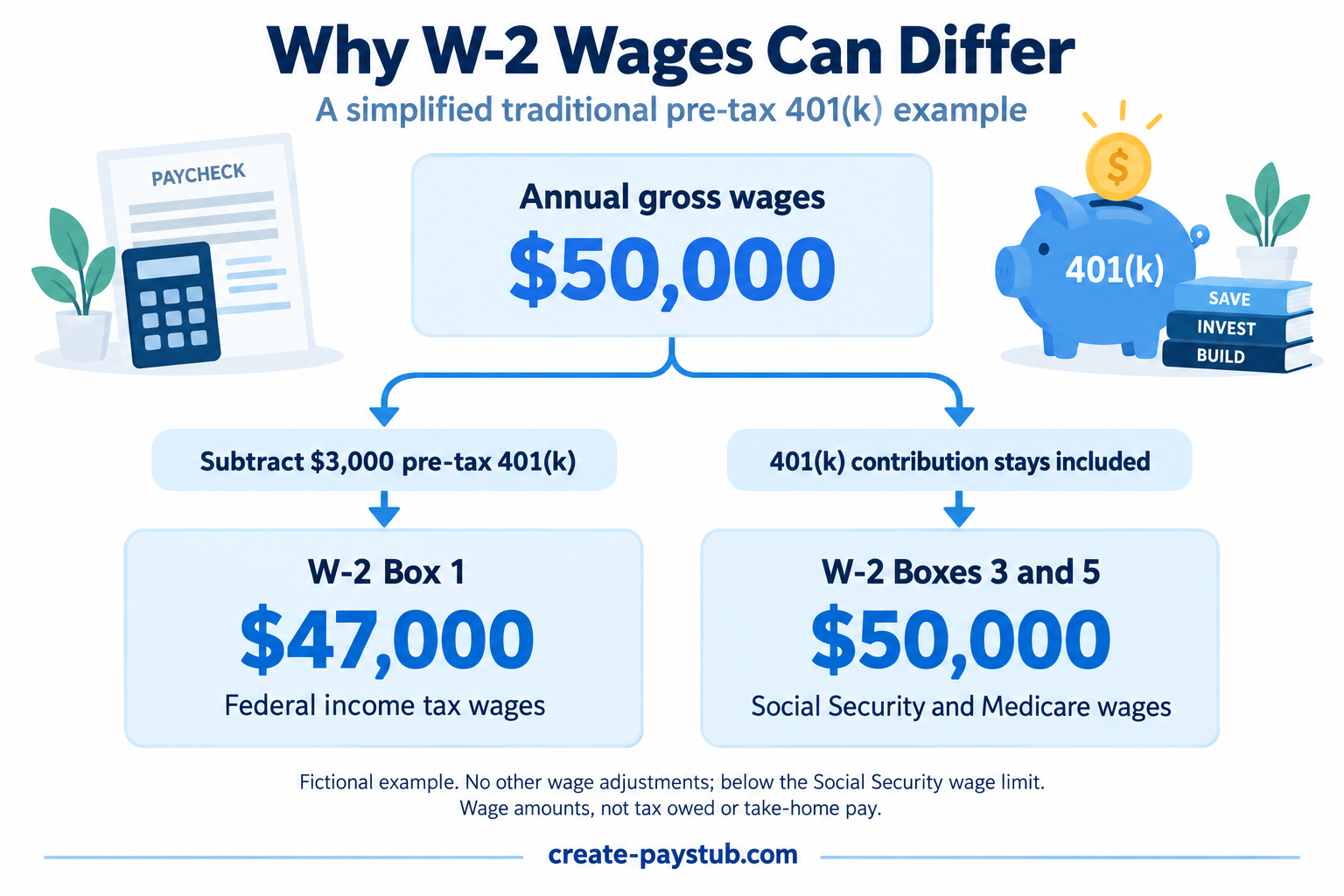
- Annual gross wages: $50,000.
- Box 1 wages: $50,000 − $3,000 = $47,000.
- Boxes 3 and 5: $50,000 each in this simplified example.
The $3,000 difference is explained by the contribution; it is not missing pay. This is one example, not a universal formula for reconstructing a W-2. Other benefits and adjustments can change the comparison.
A checklist for comparing your own records
- Match the employer and tax year. Use the final statement for the year covered by the W-2. If you changed jobs, do not compare one employer’s W-2 with combined earnings from all jobs.
- Use year-to-date figures. A single paycheck’s earnings will not match an annual wage total. Make sure the file is the final statement rather than an earlier download.
- Look for taxable wage totals. Compare box 1 with the corresponding federal taxable wage figure if your statement provides one. Ask payroll how its labels map to the W-2.
- Separate contribution types. Check whether retirement deductions are traditional pre-tax or Roth and distinguish employee deductions from employer contributions.
- Ask about additional adjustments. Taxable fringe benefits and other payroll items may affect the reported wages. The W-2 instructions describe reporting taxable fringe benefits; do not assume gross pay minus every deduction equals box 1.
- Compare withholding separately. Use the relevant tax-withheld totals, not wage totals. Our FIT versus FICA guide explains the distinction.
When should you contact payroll?
Ask for a reconciliation if the difference remains unexplained, the employer or year is wrong, or a reported deduction does not match your records. A useful question is: “My final statement shows year-to-date gross wages of [amount], while W-2 box 1 shows [amount]. Can you explain the adjustments between these figures?”
If you no longer have portal access, follow our guide to requesting pay stubs from a former employer. Keep the original documents and ask the employer about any needed correction rather than changing an employer-issued form yourself.
If you prepare pay statements from verified payroll records, our pay stub maker can help format those details. Creating a pay stub does not correct or replace an employer’s W-2. For advice about your tax return, consult a qualified tax professional.