
Imputed income on a pay stub generally represents a taxable value assigned to a benefit you received, rather than additional cash being paid to you. It can increase a taxable wage total without increasing the cash available for your deposit. Identify the benefit and its tax treatment before treating the entry as either a bonus or an unexplained deduction.
What does the imputed-income entry represent?
IRS Publication 15-B explains that taxable employee fringe benefits generally belong in wages and on Form W-2, subject to applicable exclusions and benefit-specific rules. Not every employer-provided benefit is taxable, and not every taxable benefit has identical withholding treatment.
For example, the publication describes taxable costs for certain employer-provided group-term life insurance coverage above $50,000. That does not mean the coverage amount itself becomes your paycheck or taxable income. Ask payroll which benefit and valuation method explain your particular entry.
Read the full label or code description in the payroll portal. A benefits statement may describe the underlying coverage while the pay stub records only the payroll value. Keep those two amounts separate when reviewing your records.
Example: $2,000 cash wages and a $30 noncash benefit
Assume a fictional employee earns $2,000 in cash wages for a payment and receives a noncash benefit with an already-determined taxable value of $30. For this illustration, assume that the entire benefit is included in the taxable wage category being compared and there are no other wage adjustments:
- Cash wages before deductions: $2,000.
- Taxable noncash benefit value: $30.
- Taxable wages in this example: $2,000 + $30 = $2,030.
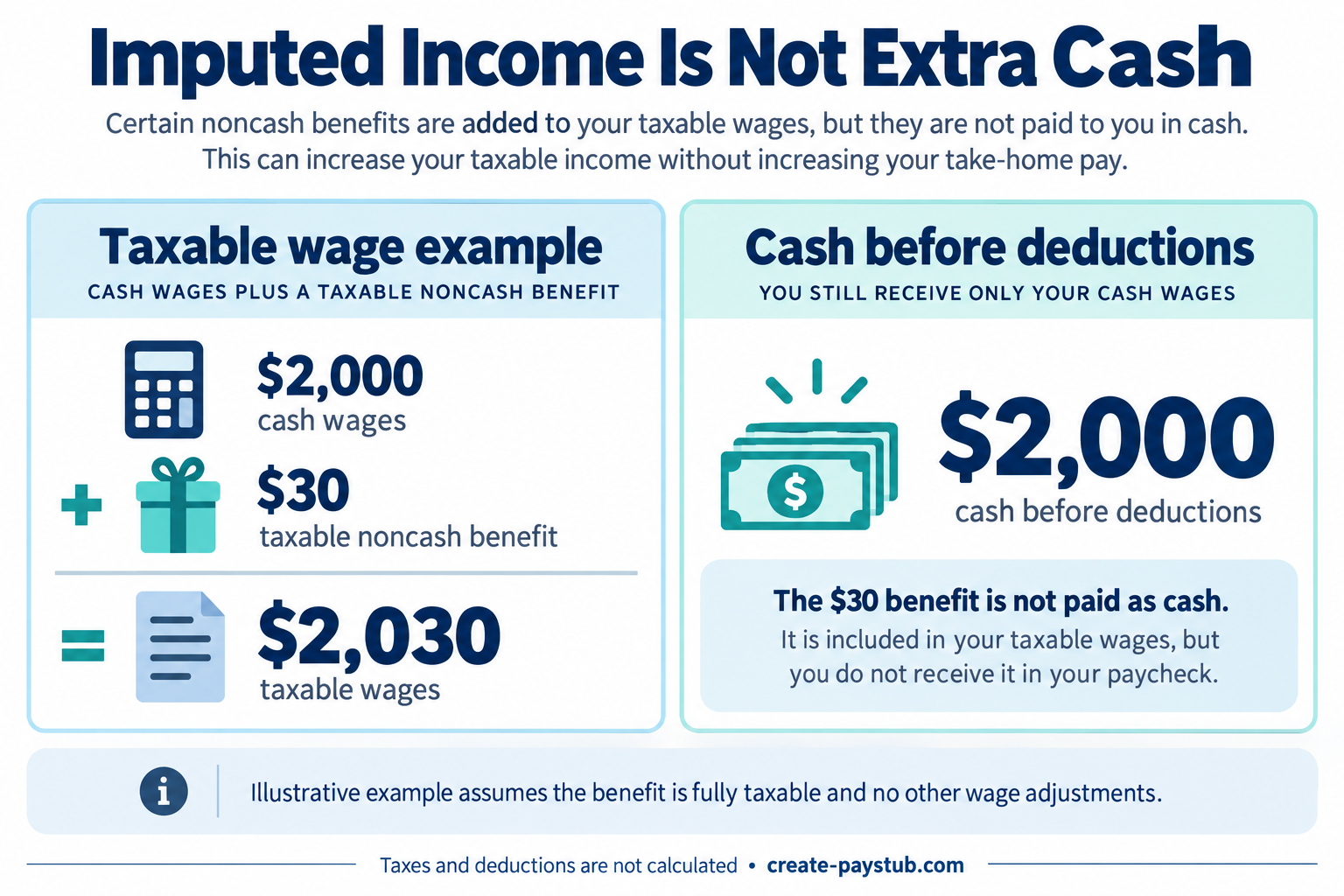
The employer is not paying the $30 as cash in this example. Therefore, $2,030 is not the expected deposit. Any payroll deductions come out of the applicable cash payment, and taxes connected with the benefit may affect take-home pay. The $30 is the assumed benefit value, not the tax charged on it.
This example does not calculate the value of life insurance or any other specific benefit. It isolates the difference between a cash amount and a taxable wage amount so you can ask the right questions about your statement.
Why might the same amount appear as an offset?
Some payroll layouts show a noncash amount in earnings and then a matching offset so it is not paid as cash. In the illustration above, an earnings display of $2,030 less a $30 noncash offset brings the cash amount back to $2,000 before actual taxes and deductions.
That presentation is different from taking an additional $30 benefit premium out of the original $2,000 cash wages. Do not assume two matching entries mean you were charged twice, but do not assume they are harmless either: ask what each line does to taxable wages and cash pay.
Use our guide to reading a check stub to identify the earnings, deduction, and payment sections. Payroll labels vary, so the example layout is not a universal template.
What to compare before reporting an error
- Identify the benefit. Match the code to the coverage or benefit your employer provided.
- Confirm the period. Ask whether the value relates to this payment period or a longer benefit period.
- Request the valuation. Ask how payroll determined the taxable amount and whether employee contributions or exclusions were taken into account.
- Trace each total. Identify which taxable wage categories include the amount and whether an offset prevents a cash payment.
- Check the actual payment. Reconcile net pay with the bank transaction separately from the taxable wage calculation.
If you are comparing the statement with your annual tax form, see why W-2 wages can differ from pay stub totals. A taxable wage figure and a cash deposit measure different things; neither should automatically replace the other in your comparison.
A useful question for payroll
“My statement dated [date] shows [code] for [amount]. Please identify the benefit, explain the valuation and period covered, and show how the entry affects taxable wages, deductions, and cash net pay. Does the matching entry represent a noncash offset or an employee charge?”
Keep the original statement and the explanation. If the benefit, valuation, or payroll treatment does not match the supporting records, use our pay stub correction checklist to request a review. A generic example cannot determine the correct treatment of every benefit, especially when special exclusions or rules apply.