
YTD means year to date. On a pay stub, a YTD figure normally adds up a particular earnings, tax, or deduction category for the calendar year through the payment shown. The current column covers this payment; the YTD column is cumulative. Read the row label as well as the column heading before using either figure.
YTD gross pay, net pay, and taxes are different totals
- YTD gross pay: cumulative gross earnings recorded in that category.
- YTD net pay: cumulative net payments recorded by the payroll system.
- YTD federal income tax: federal income tax withheld so far, rather than every tax combined.
- YTD retirement or benefit deductions: accumulated amounts for the specific deduction line.
Ask payroll about unfamiliar codes or the scope of a total. Do not treat one employer's statement as a record of every job you have held. If you changed employers, keep the records separate before combining matching figures for a purpose that requires them.
For a broader explanation of the statement, start with our check stub reading guide. This article focuses on checking the cumulative figures across payments.
How do you check whether YTD increased correctly?
Use two consecutive statements for the same employer, calendar year, and earnings category. Assume there are no corrections or other payments between them:
- Previous statement's YTD gross pay: $8,000.
- Current statement's gross pay: $2,000.
- Expected new YTD gross pay: $8,000 + $2,000 = $10,000.
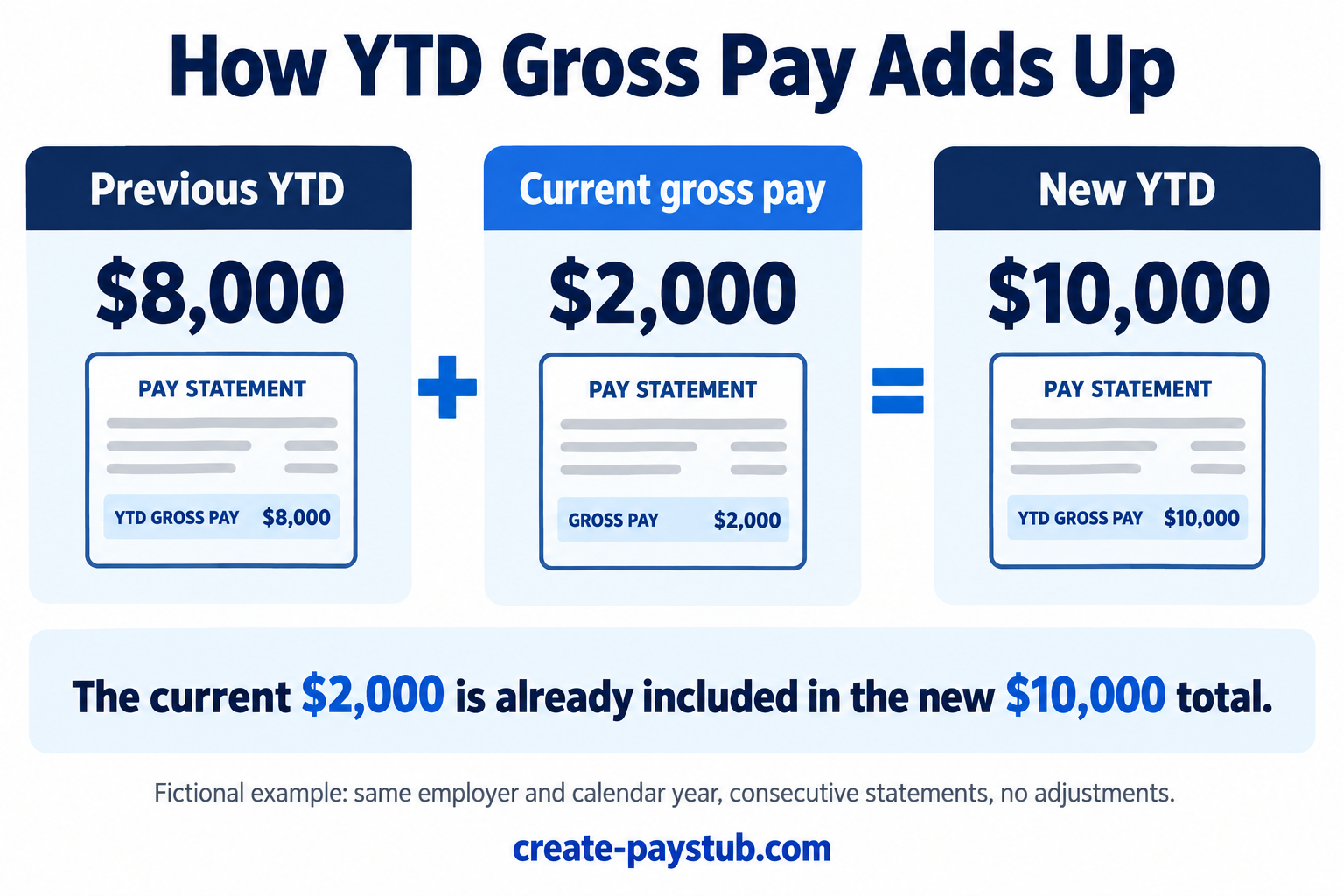
Do not add $2,000 to the new $10,000 again. That would count the current payment twice. Likewise, adding the YTD figure from every pay stub does not calculate annual earnings: each later cumulative figure already includes earlier payments.
You can also work backward: $10,000 − $8,000 = $2,000. This checks the change between those two totals. It does not prove that the underlying hours, rate, or deductions were correct.
Why might the difference not match current pay?
First check whether the two records are actually consecutive. A separate bonus statement, an off-cycle payment, or a correction could sit between the documents you selected. Ask payroll whether those items affected the total rather than assuming a particular explanation.
Also confirm that both figures measure gross earnings. Federal taxable wages can differ from gross pay, including when an eligible pre-tax deduction applies. See our guide to W-2 wages versus pay stub totals before comparing unlike categories.
A new calendar year breaks the simple carry-forward comparison. Check the payment dates and ask payroll which year contains each payment. For background on the date fields, see pay period versus pay date.
If a payroll provider or employer entity changed, ask whether prior balances were carried forward and whether more than one statement is needed. A reset is something to explain with records, not evidence to ignore a possible discrepancy.
Which YTD amount should you use for a withholding check?
The IRS Tax Withholding Estimator FAQ tells users to distinguish tax withheld for the current pay period from tax withheld for the year, use the correct federal withholding line, and refer to the most recent paycheck. It also warns against including state taxes, local taxes, Social Security, or Medicare in the federal income tax withholding entry.
Follow the tool's instructions for any separately displayed additional federal withholding. Do not add it twice if the total already includes it. Our FIT versus FICA guide helps identify the categories.
A practical YTD review checklist
- Match the employee, employer, year, and payment dates.
- Compare the same earnings or deduction category.
- Identify any intervening payments or adjustments.
- Use the previous cumulative total plus the current amount, not the sum of all cumulative totals.
- Keep the original statements and request a breakdown if the figures still do not reconcile.
A focused request is: “The previous statement shows [YTD amount], and the current statement shows [current amount] with [new YTD amount]. Please explain the change and identify any intervening payment or adjustment.” This is a record-checking method, not an estimate of your final tax liability.