
California employers must give employees an itemized wage statement when wages are paid, or at least semimonthly. The statement needs more than a take-home amount: it must identify the pay period, earnings, deductions, employer and employee, and the rates and hours that apply. California's Labor Commissioner's payday guidance explains the required fields under Labor Code section 226.
This guide is for California employee wage statements, sometimes called pay stubs or check stubs. It reflects the California Department of Industrial Relations guidance reviewed on September 26, 2026. Particular jobs and pay methods can trigger additional rules, so use the official guidance when a statement involves piece rates, temporary assignments, or another special arrangement.

What must a California pay stub show?
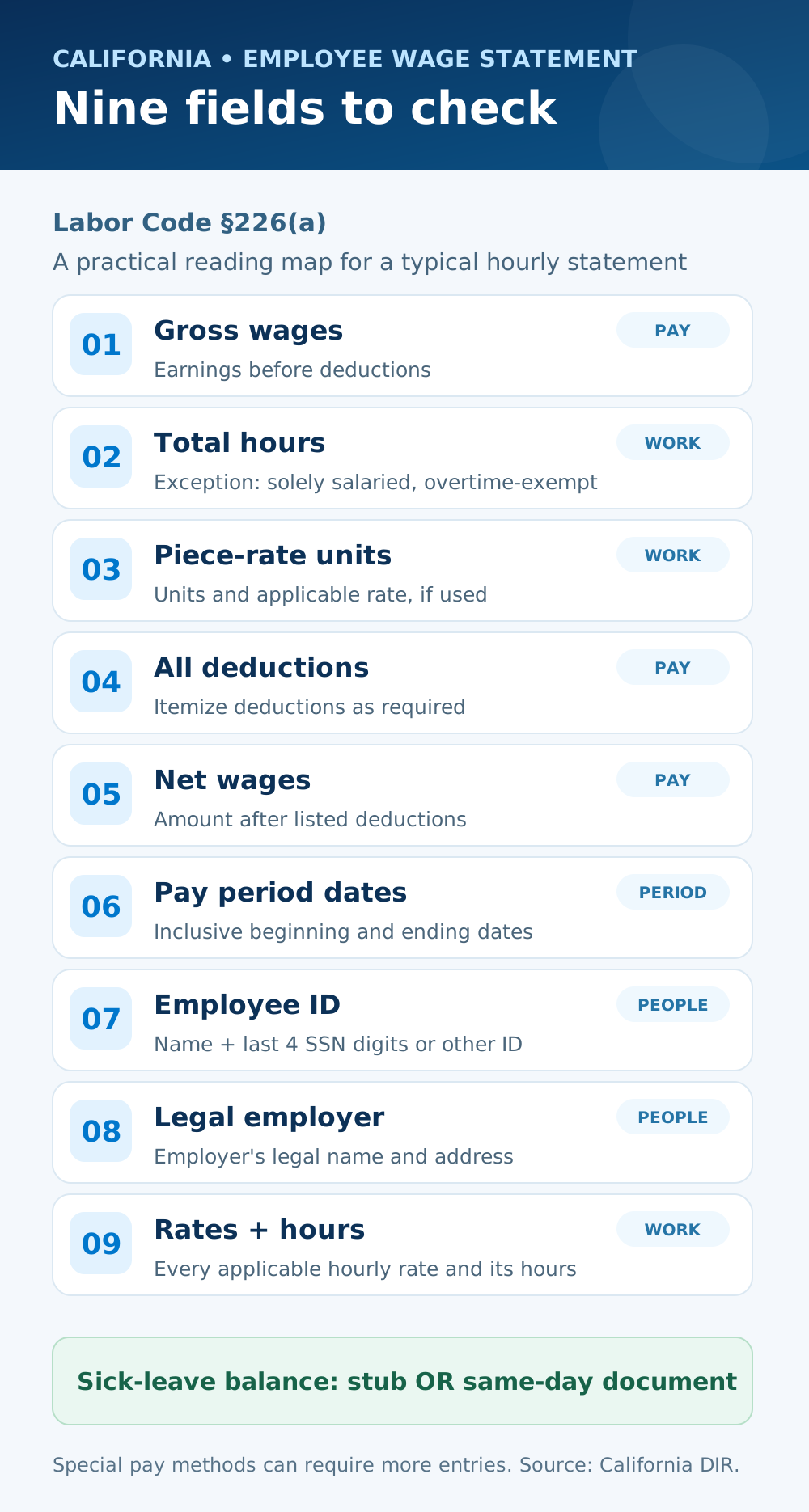
For an ordinary hourly employee, check these groups against the employer's actual payroll records. The Labor Commissioner lists nine categories under section 226(a):
- Pay and period: gross wages, net wages, and the beginning and ending dates of the period being paid. The pay date alone does not replace the period dates. See our pay period versus pay date guide if those dates are easy to confuse.
- Work and rates: total hours worked, each applicable hourly rate, and the corresponding hours at each rate. A specific exception applies to employees paid solely on a salary who are exempt from overtime. If the employee is paid by the piece, the applicable piece rate and number of units belong on the statement too.
- Deductions: all deductions from wages. Certain deductions made under the employee's written orders may be grouped as the statute permits.
- People and business: the employee's name and either the last four digits of their Social Security number or an employee ID other than a Social Security number; plus the legal employer's name and address.
A statement should let the employee identify how that payment was calculated. For example, if two hourly rates applied, a single blended-looking rate can obscure the hours paid at each rate. California requires the applicable rates and corresponding hours to be shown; our two-rate pay-stub guide explains how to inspect that kind of entry. An attractive template does not correct missing or inaccurate payroll data.
Is the sick-leave balance required on the stub itself?
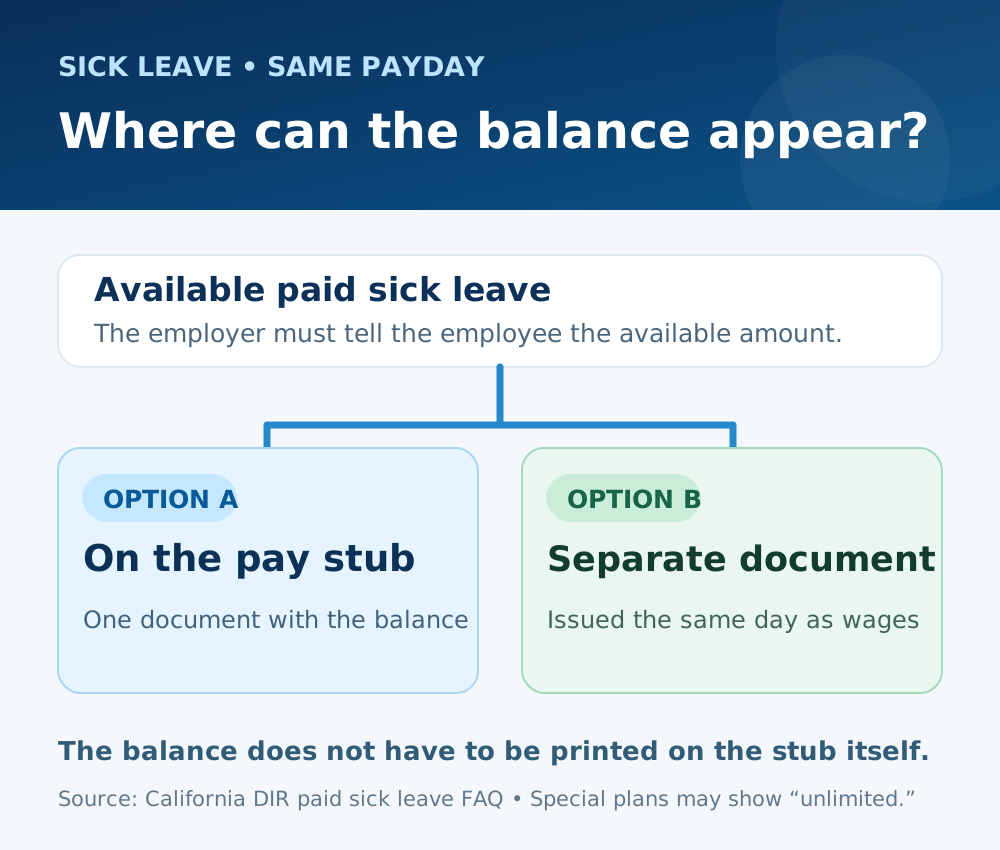
Not necessarily. California's paid-sick-leave rule requires employers to show the amount of available paid sick leave either on the pay stub or on another document issued the same day as the paycheck. An employer with an unlimited paid-sick-leave or paid-time-off plan may indicate “unlimited.” That is a separate notice requirement, so do not assume a stub violates section 226 solely because the balance is on a same-day document. See the Labor Commissioner's paid sick leave FAQ. For help interpreting leave figures when they do appear on a statement, see our PTO balance guide.
Does cash pay or direct deposit change the requirement?
No. The California payday FAQ says an itemized wage statement is required when an employee is paid by check, cash, or otherwise. The method used to transfer wages does not remove the employer's duty to provide the statement. A bank deposit also shows only the transfer, not all the wage-statement information.
What changes for piece-rate work?
Section 226 calls for the number of piece-rate units and each applicable piece rate. California Labor Code section 226.2 adds separate wage-statement information for compensable rest and recovery periods and, in some circumstances, other nonproductive time. Those details depend on how the employee is paid; a generic hourly-only checklist is not enough. The Labor Commissioner's piece-rate FAQ explains the additional entries and an exception concerning other nonproductive time. If your pay is piece-based, compare the statement with your production and time records rather than assuming the ordinary hourly layout covers everything.
How to check a statement before keeping or issuing it
- Match the period dates, pay date, name, and employer's legal name against the actual payment and payroll record.
- Compare recorded hours, rates, and any piece units with time or production records. Check that each applicable rate has its matching hours.
- Reconcile gross wages, the listed deductions, and net wages. If a figure looks wrong, trace it to the payroll record rather than changing the stub alone.
- Check the employee identifier: only the last four Social Security digits or a separate employee ID should appear, not a full Social Security number.
- Look for the available sick-leave notice on the stub or the separate document provided with that payment.
If a field is missing or the amounts do not match your records, ask the employer or payroll team for an explanation and a corrected statement. Keep the original statement, your own time records, and the response. Our pay-stub error guide gives a practical sequence for raising a discrepancy. Current and former California employees can request to inspect or copy their payroll records; the Labor Commissioner's FAQ says employers must respond as soon as practicable and within 21 calendar days.
A pay-stub maker can format information you enter, but the employer remains responsible for accurate payroll records and a compliant statement. Do not invent hours, wages, deductions, employment, or an employer identity to make a document look complete.