
A PTO balance on your pay stub usually tracks paid time off, not additional cash being deposited with that paycheck. To read it correctly, check the units, the balance date, and whether the figures show time earned, time used, or time available. Your employer’s leave policy and the applicable rules determine how the balance works.
What do accrued, used, and available PTO mean?
Payroll labels vary, so use these as a reading guide and ask your employer to confirm its definitions:
- Accrued or earned: leave added under the plan. The figure might cover only the current pay period or the year to date.
- Used or taken: leave charged to the balance. Check whether this is current-period usage or a cumulative total.
- Available or remaining: the amount the system shows as available as of its stated date. Ask whether it includes pending requests or other adjustments.
- Carryover or adjustment: a separate entry that may explain a change not caused by ordinary accrual or usage.
Also check whether the numbers are hours or days. A balance of 12 hours is not 12 days. If the statement uses decimal hours, 7.5 hours means seven hours and thirty minutes, not seven hours and fifty minutes.
A fictional balance calculation
Assume a fictional employer tracks PTO in hours and updates the balance each pay period. There are no pending requests or other adjustments in this example:
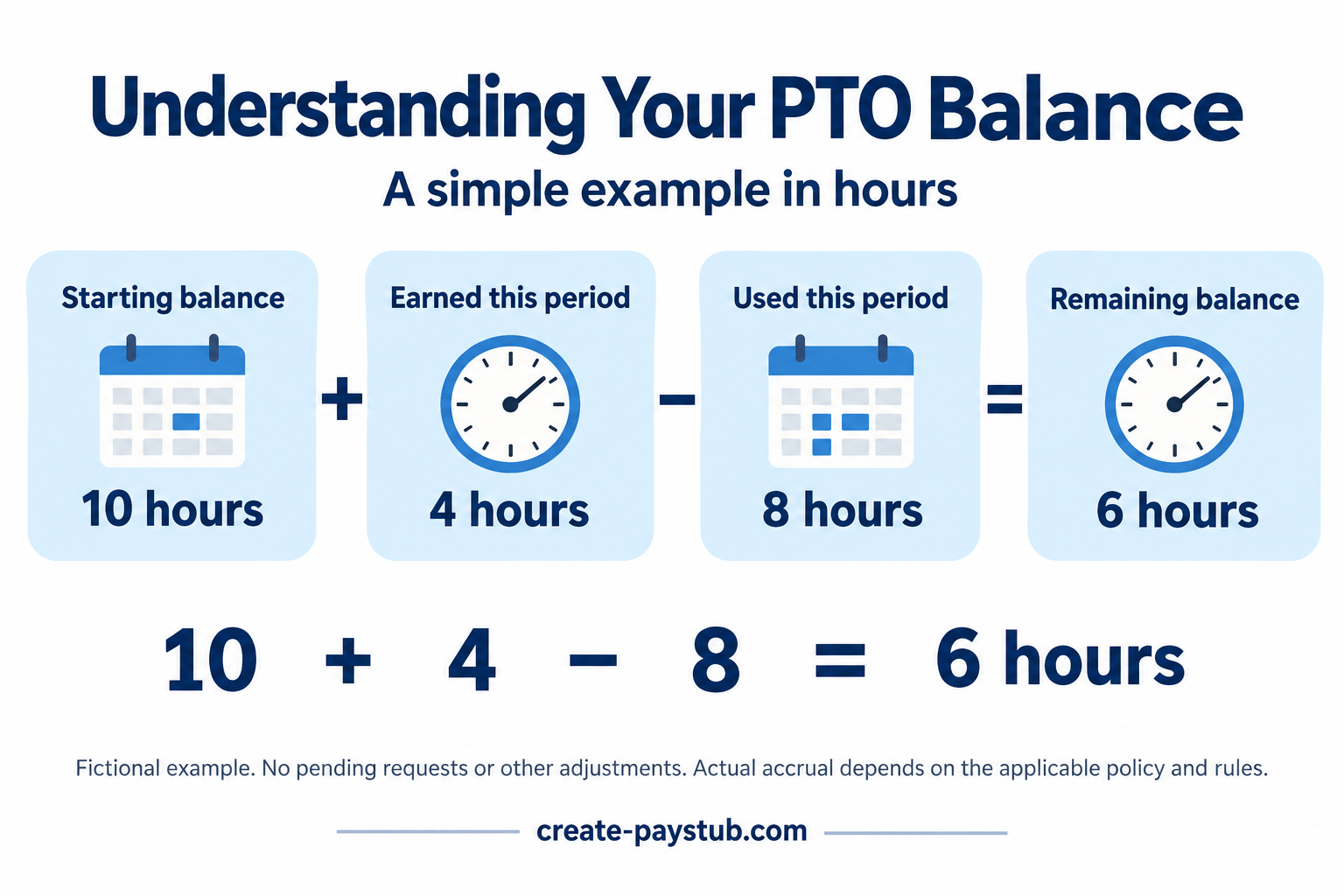
- Starting balance: 10 hours.
- PTO earned this period: 4 hours.
- PTO used this period: 8 hours.
10 + 4 − 8 = 6 hours remaining.
This is a reconciliation example, not a legal accrual rate or a promise of benefits. Your plan might grant leave at a particular time rather than add four hours each period. Use the actual policy and entries shown in your records.
Do not subtract year-to-date usage from a starting balance that already reflects that usage. Match the time period for each number, just as you would when reading current and year-to-date pay figures.
Why might the portal show a different balance?
Before assuming an error, compare the dates and definitions in both places. A printed statement may reflect a payroll cutoff, while the portal may include a later transaction. That is a possibility to check with payroll, not an explanation to assume.
- Find the balance date and the pay period covered by the statement.
- List leave taken or approved around that cutoff.
- Check whether pending requests reduce the portal’s displayed availability.
- Look for separate vacation, sick leave, and combined PTO balances.
- Ask about any adjustment you cannot trace to a record.
Keep the original statement and the dates of your leave requests. Do not add separate leave categories together unless the plan actually allows you to use them interchangeably.
Does the PTO balance have to be paid out?
A displayed balance alone does not answer whether unused leave must be paid out, can carry over, or is subject to a cap. The type of leave, applicable law, and the plan terms matter.
The Department of Labor explains that the FLSA does not itself require payment for vacation or other time not worked; such benefits generally depend on the employment agreement. Its vacation guidance also notes separate requirements for certain government contracts. This does not settle state or local leave rights.
California, for example, treats earned vacation as wages and generally requires payment of earned, unused vacation at separation, subject to the rules and exceptions described in its official vacation FAQ. Do not apply that example automatically to another state or to a separate sick-leave plan. Consult the relevant labor agency or a qualified adviser for your situation.
Do PTO hours count as hours worked for overtime?
Under the federal FLSA rule, paid time off for vacation, holidays, or illness generally need not be included as hours worked for overtime. The Department of Labor’s Hours Worked Advisor explains the distinction. Check any more generous policy or other applicable rule separately. Our biweekly overtime guide explains how to compare worked hours by workweek.
What should you ask payroll?
A focused request is easier to resolve than “my PTO looks wrong.” For example: “My previous statement showed [balance] hours. This statement shows [earned] earned and [used] used, with [balance] remaining. Which dates do those entries cover, and are pending requests or adjustments included?”
If you prepare pay statements, use verified leave records and the plan’s definitions before entering information in a pay stub maker. Formatting a statement does not determine an employee’s leave entitlement or establish that a displayed balance is payable in cash.